Overview
To connect WooCommerce to SheetXAI (or any external tool), you’ll typically generate a WooCommerce REST API key (Consumer Key + Consumer Secret) from your WooCommerce admin.
Step-by-step: create WooCommerce API credentials
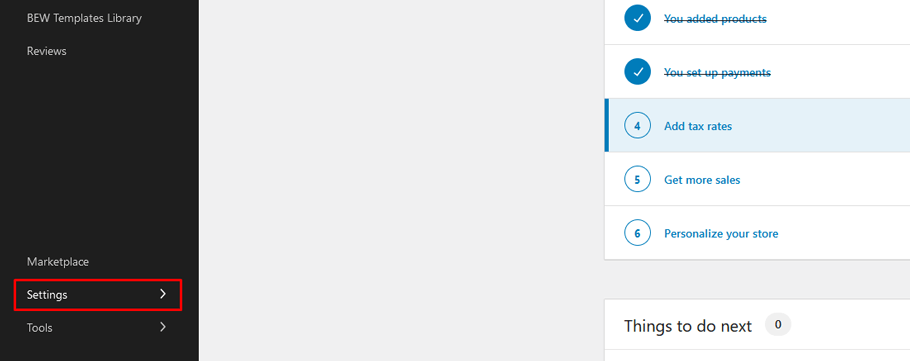
1) Open WooCommerce settings
- In your WordPress admin, go to WooCommerce → Settings
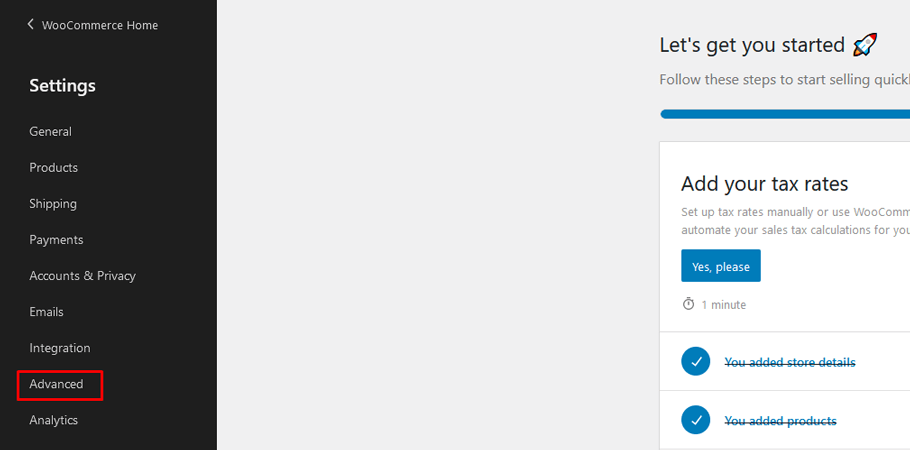
2) Go to Advanced
- Click the Advanced tab
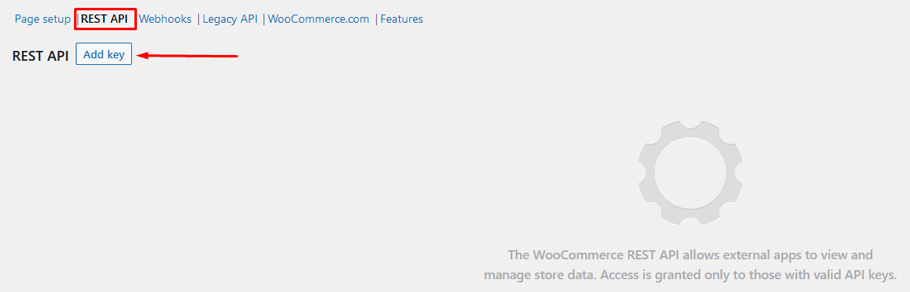
3) Open REST API and add a key
- Click REST API
- Click Add key
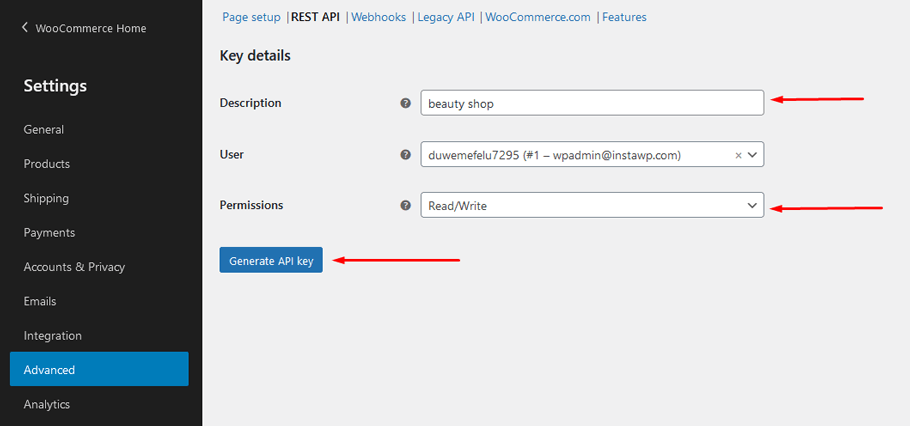
- Enter a description for the key (e.g., “SheetXAI”)
4) Choose permissions and generate the key
- For most integrations you’ll want Read/Write
- Click Generate API key
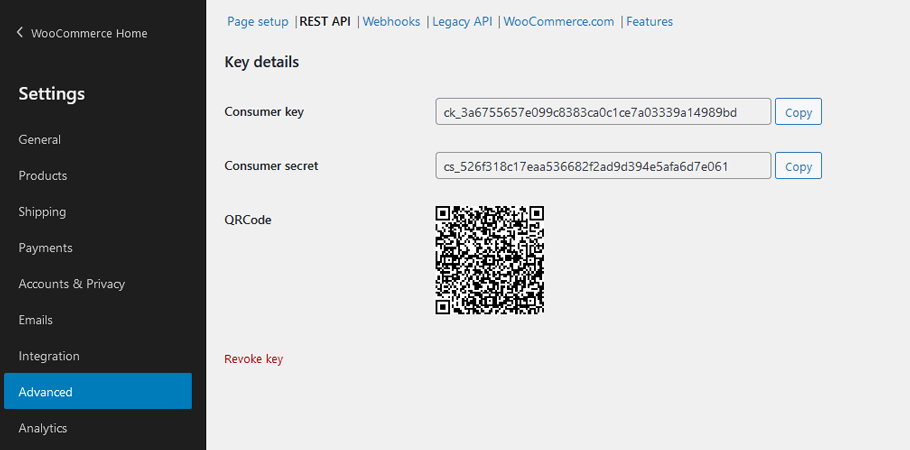
5) Copy your Consumer Key + Consumer Secret
- Copy the Consumer key
- Copy the Consumer secret
Important notes
- Copy the secret immediately: WooCommerce only shows the Consumer Secret once.
- Use least privilege: If you only need read access, choose Read instead of Read/Write.
- Keep keys private: Treat these like passwords—don’t paste them into public sheets or docs.