If you've already purchased SheetXAI through AppSumo and want to add more credits or other add-ons, you do this directly through your AppSumo account.
Step 1: Go to Your AppSumo Purchases
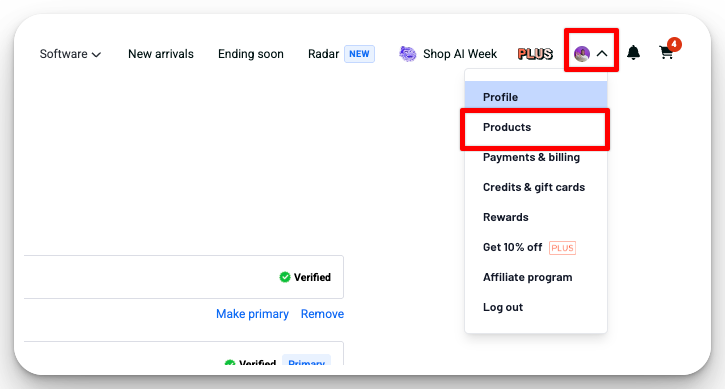
Log into AppSumo, click your profile icon, then click Products.
Step 2: Open Your SheetXAI Purchase
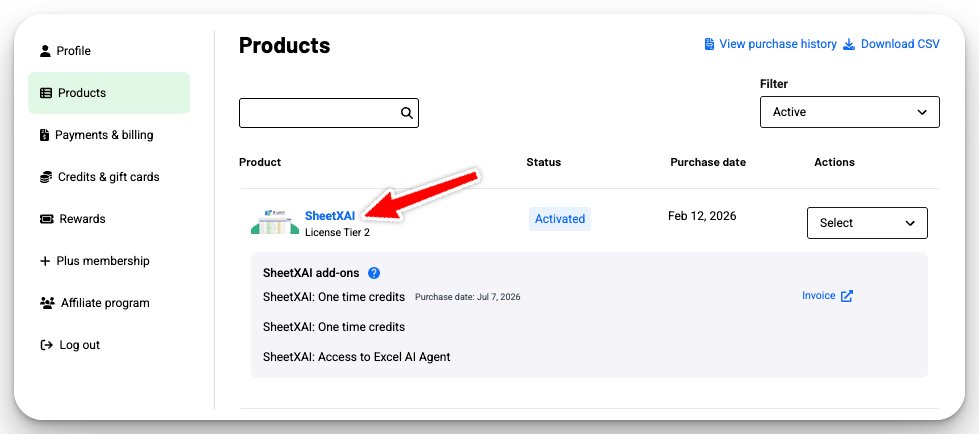
Find SheetXAI in your list of products and click on it.
Step 3: Open "Available Add-ons"
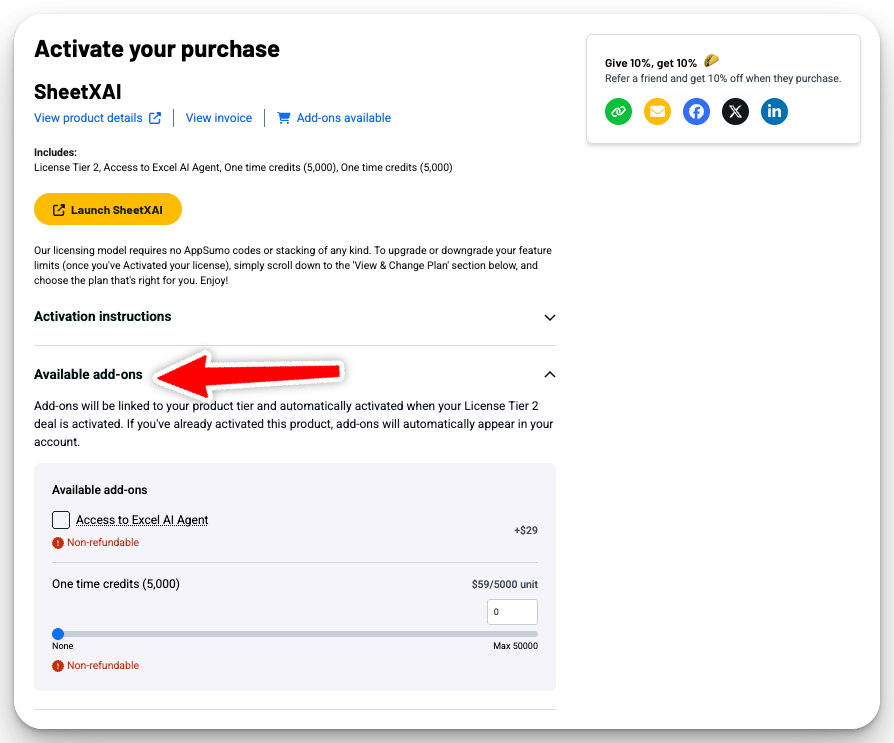
On the purchase page, click Available add-ons to expand the section and see everything you can add to your license.
Step 4: Add What You Need
Tick the add-on you want (or set a quantity for credit packs), then complete the purchase — it'll be applied to your account automatically.
Alternative: BYOK (Bring Your Own Key)
Remember, you don't NEED to purchase credits if you're comfortable using API keys. You can use BYOK with providers like OpenRouter, OpenAI, Claude, Gemini, etc. for unlimited operations. Credits are only for people who prefer the convenience of not dealing with API setup.
New to BYOK? See How to Get an OpenRouter API Key (and Add Credits) — OpenRouter is our preferred provider, and the guide walks you through it step by step.
Need Help?
If you run into any issues purchasing add-ons or have questions, contact support at david@sheetxai.com or use the support chat at sheetxai.com.